
EZCast TwinX package
快速指南
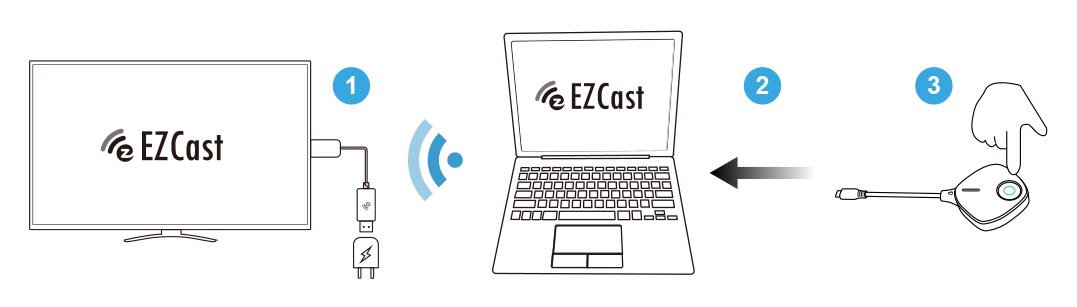
1. 安装接收器:将EZCast无线显示接收器连接至屏幕。
2. 随插即投:将投屏发射器接上电脑或手机,等待数秒即开始自动投屏。
3. 停止/重新镜像:按压投屏发射器上的按钮即可停止或重新镜像。
Quick Start Guide
1. Install receiver: Connect EZCast wireless display receiver to your screen.
2. Plug and mirror: Plug Transmitter C-1 to laptop or mobile and wait for mirroring automatically
3. Stop and restart: Press the button on Transmitter C-1 to stop mirroring or restart mirroring.

Watch setup videos

Download full user manual

Download Quick Start Guide

Subscribe for
more demo videos