- {{get_started_text}}
- {{manual_text}}
- {{application_text}}
- {{voice_control_text}}
- {{firmware_text}}
- FAQ
安裝設備
1
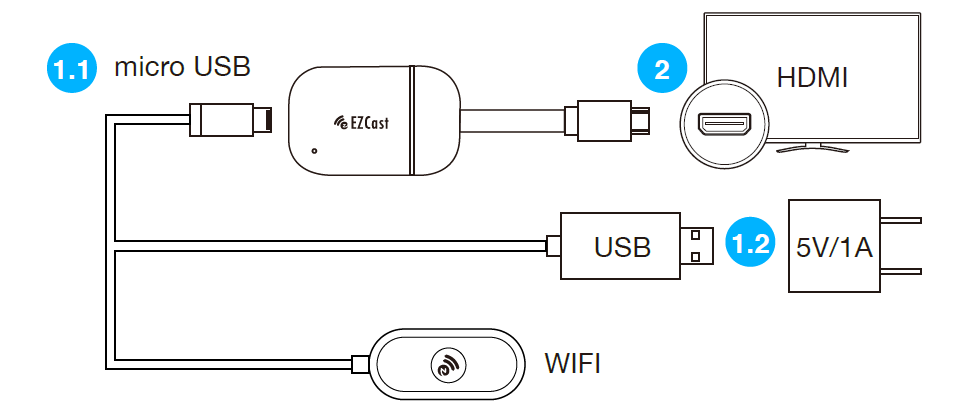
將 MicroUSB 端與 EZCast Band 1 連接,並將 USB 接頭與(5V/1A)USB 電源適配器(或者手機充電器)連接,以提供電源。為使 Wi-Fi 訊號傳輸穩定,建議將無線模組端放置於螢幕前面。
2
將 HDMI 接頭連接至螢幕的 HDMI 連接埠。
3
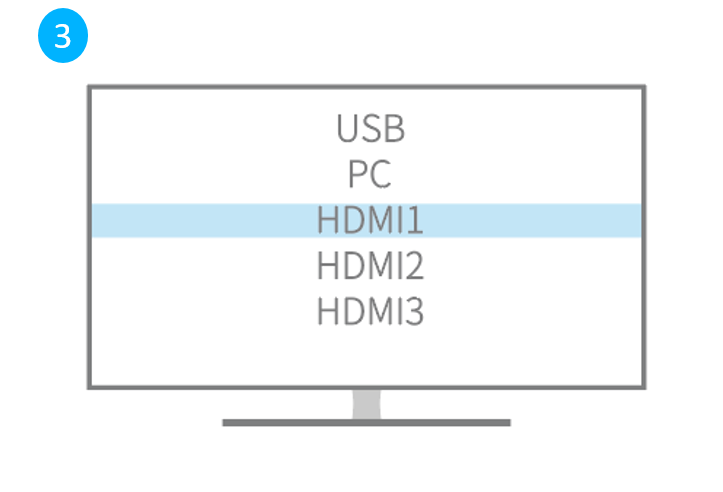
將訊號輸入來源設定至 EZCast Band 1 所插入的 HDMI 連接埠。
4
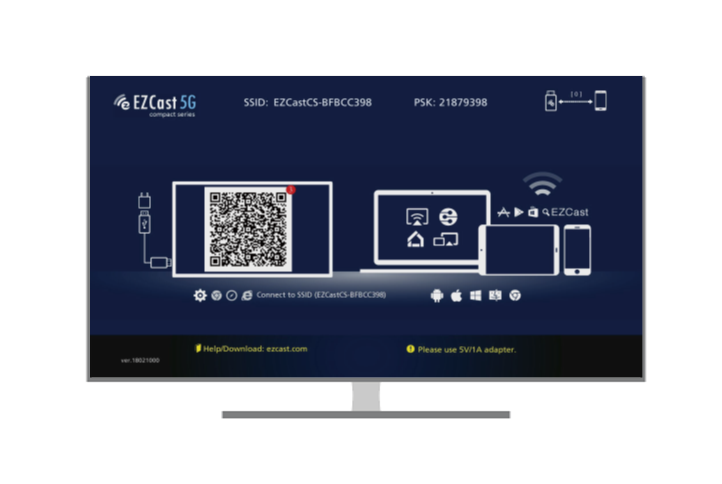
EZCast Band 1 連接成功後,螢幕將會顯示 EZCast 主畫面(如圖所示)。請依以下步驟完成設定。
硬件安装
1
将连有无线模块的缆线micro USB与同屏器连接,再将USB端插入(5V/1A)USB电源适配器(或手机充电器)。
建议把无线模块放置于电视机前面,更有利于Wi-Fi 信号传输的稳定性。
2
将同屏器的HDMI端接入电视机后背的HDMI信号输入接口。
3
用电视遥控器选择相对应的HDMI插入口的输入信号源(选择刚才插入的HDMI端口做信号输入源即可)。
4
EZCast Band 1 连接成功后,电视机将会显示EZCast主界面(如图所示)
。然后请参照下方附件的使用手册完成同屏器的设置,即可实现与大屏电视同屏。
Hardware Installation
1
Plug the micro USB cable to EZCast dongle, and power it up by connecting USB cable to and adapter (5V/1A).
To make sure your Wi-Fi is stable, please place the USB cable adapter in front of TV
2
Plug EZCast dongle into a HDMI port on TV.
3
Set your TV’s source/ input selection to HDMI port that connected to the EZCast dongle.
4
Your TV screen shall display the instructions once EZCast is connected successfully.
Please follow the attached user manual to complete setup.